![HE logo.png]](https://help.hackerearth.com/hs-fs/hubfs/HE%20logo.png?height=40&name=HE%20logo.png)
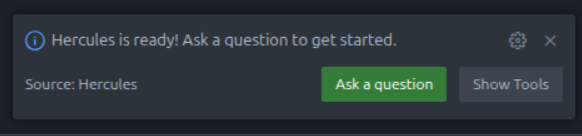
The Contextual AI Coding Assistant gives candidates access to an AI-powered assistant directly within the VSCode Fullstack IDE during a Project question. The assistant is built to guide candidates - offering hints, contextual suggestions, and code help - without giving away the answer.
Enabling the Assistant
To turn on the assistant for your assessment:
- Open your event and go to Advanced Settings.
- Toggle on Enable Contextual AI Coding Assistant.
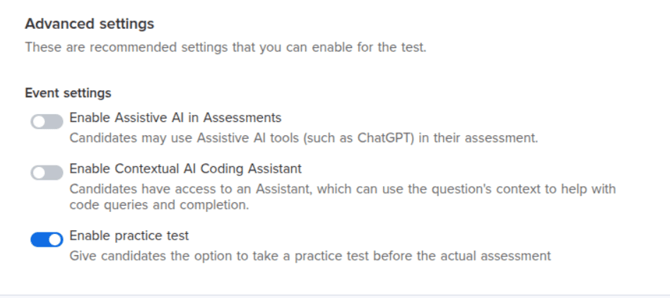
That's it! Candidates will see the assistant panel appear inside the IDE once the assessment begins.
Note: This feature requires the billing flag to be enabled on your HackerEarth account. If you don't see this option, reach out to your account manager.
What Candidates Experience
Once inside the IDE, candidates can open the assistant panel and ask questions about their problem. The assistant responds with contextual guidance based on the question - helping them think through the problem rather than solving it outright.
Candidates can also apply suggestions directly into the editor, without needing to copy-paste.
Each session supports up to 100,000 tokens of interaction.
Availability
The Contextual AI Coding Assistant is currently available in the VSCode Project IDE only. Support for the Java IDE, Expo, and Android IDE is not available yet - we'll update this article when that changes.
Frequently Asked Questions
Will the assistant solve the problem for the candidate?
No. The assistant is designed to guide, not solve. It provides hints and contextual help to support the candidate's thinking process.
Is this the same as allowing external AI tools like ChatGPT?
No. That is a separate setting called Enable Contextual AI Coding Assistant. The Contextual AI Coding Assistant is built into the IDE and scoped to the question context.