![HE logo.png]](https://help.hackerearth.com/hs-fs/hubfs/HE%20logo.png?height=40&name=HE%20logo.png)
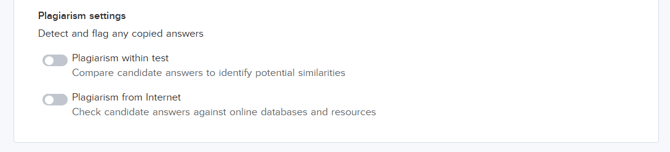
Plagiarism settings
Log in to your HackerEarth account, then follow the steps shown in the video to access the plagiarism settings.
HackerEarth supports two types of plagiarism detection:
- Plagiarism within the test
- Plagiarism from internet sources
Plagiarism within the test
When multiple candidates take a test together, there is a possibility of similar or copied code. This commonly occurs in scenarios such as:
- Recruitment drives conducted on the company premises
- Internal evaluations, such as L&D or internal engagement
How does it work?
When you enable Plagiarism in the test, the platform compares each candidate’s best submission with the best submission of all other candidates. The code is compared line by line. If two submissions match by more than 85%, both are flagged, and the candidates' names appear in the plagiarism report.
This applies even if a candidate has copied from more than two candidates.
Report details
When you request a plagiarism report, it is generated in a .xlsx format and sent to your email ID. You must be an admin to request a plagiarism report.
What does a plagiarism report look like?
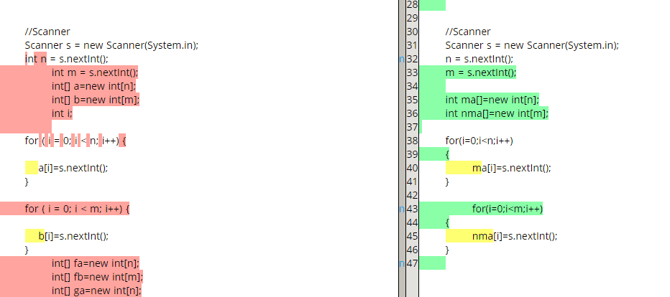
Your report will be color-coded.
Color log
You will see 2 panels in the plagiarism report, each containing the code written by the two candidates. The color code is as follows:
|
S.no |
Color |
What it means |
|
1 |
No color |
When the code is not highlighted, it means that it is an exact copy. |
|
2 |
Yellow |
Yellow highlights indicate a slight match. This is common when candidates change variable names but do not change the plagiarized logic. |
|
3 |
Red and green |
These colors indicate that the code written by the two candidates is different. |
Plagiarism from the Internet
Hackerearth uses an AI-powered code plagiarism detection system that checks whether a candidate's code submission has been copied from public websites like GeeksforGeeks, StackOverflow, or similar programming resources. The AI system evaluates both code structure and underlying logic. This allows the system to identify copied logic even when the code is rewritten, while correctly handling standard problems where similar solutions are expected.
How does it work?
The AI analysis is a logic-driven analysis, and plagiarism results are shown as a Plagiarism Likeliness value. The likeliness is reported as Medium or High. When you enable Plagiarism from Internet, the following happens:
- Logic-based detection: The AI analyzes the intent and logic of the code, not just syntax or variable names
- Standard problem awareness: Common problems such as binary search, linked lists, and sorting algorithms are evaluated with an understanding that standard approaches are widely used.
- Clear explanations: When submissions are flagged, the system provides detailed explanations to support informed review and decision-making.
Report details
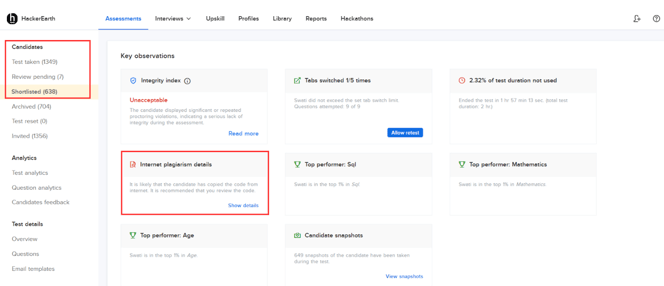
You can see the Internet Plagiarism report of a candidate by following these steps:
- Log in to the HackerEarth assessment.
- Select the assessment taken by the candidate.
- Under the Candidates section, select Review pending, Test taken, or Shortlisted.
- Under the Key observations section, select Internet Plagiarism details.