![HE logo.png]](https://help.hackerearth.com/hs-fs/hubfs/HE%20logo.png?height=40&name=HE%20logo.png)
Open your admin dashboard, and follow these steps:
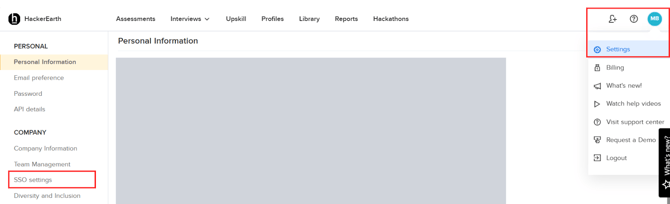
- Click your profile icon. A dropdown will appear
- A dropdown will appear, click Settings
- On the left side, under the Company section, you will find SSO settings
- Click SSO settings
You can now enable/disable SSO settings. For more help, connect with your account manager to assist you in this process, or write to us at support@hackerearth.com.