![HE logo.png]](https://help.hackerearth.com/hs-fs/hubfs/HE%20logo.png?height=40&name=HE%20logo.png)
A More Modern, Consistent Platform Design
Keeping in line with modern design languages and concepts, we've made several updates to bring a more consistent, streamlined experience across the platform — and we'll continue rolling out more of these changes next quarter.
What's new
- New sidebar navigation: We've upgraded from the top header bar to a global sidebar, making it easier and faster to move around the platform.
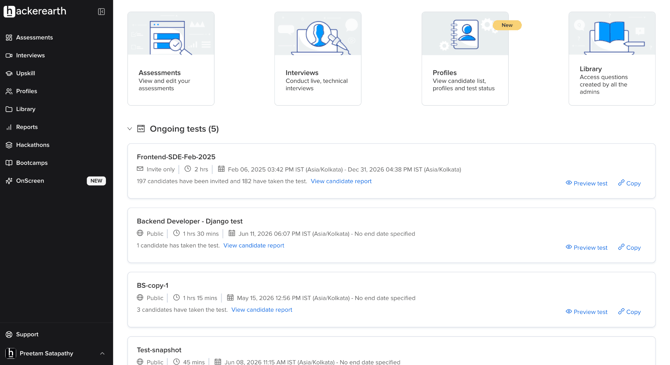
- Redesigned Admin Overview: All admins now have access to a refreshed Overview page for managing their workflows.
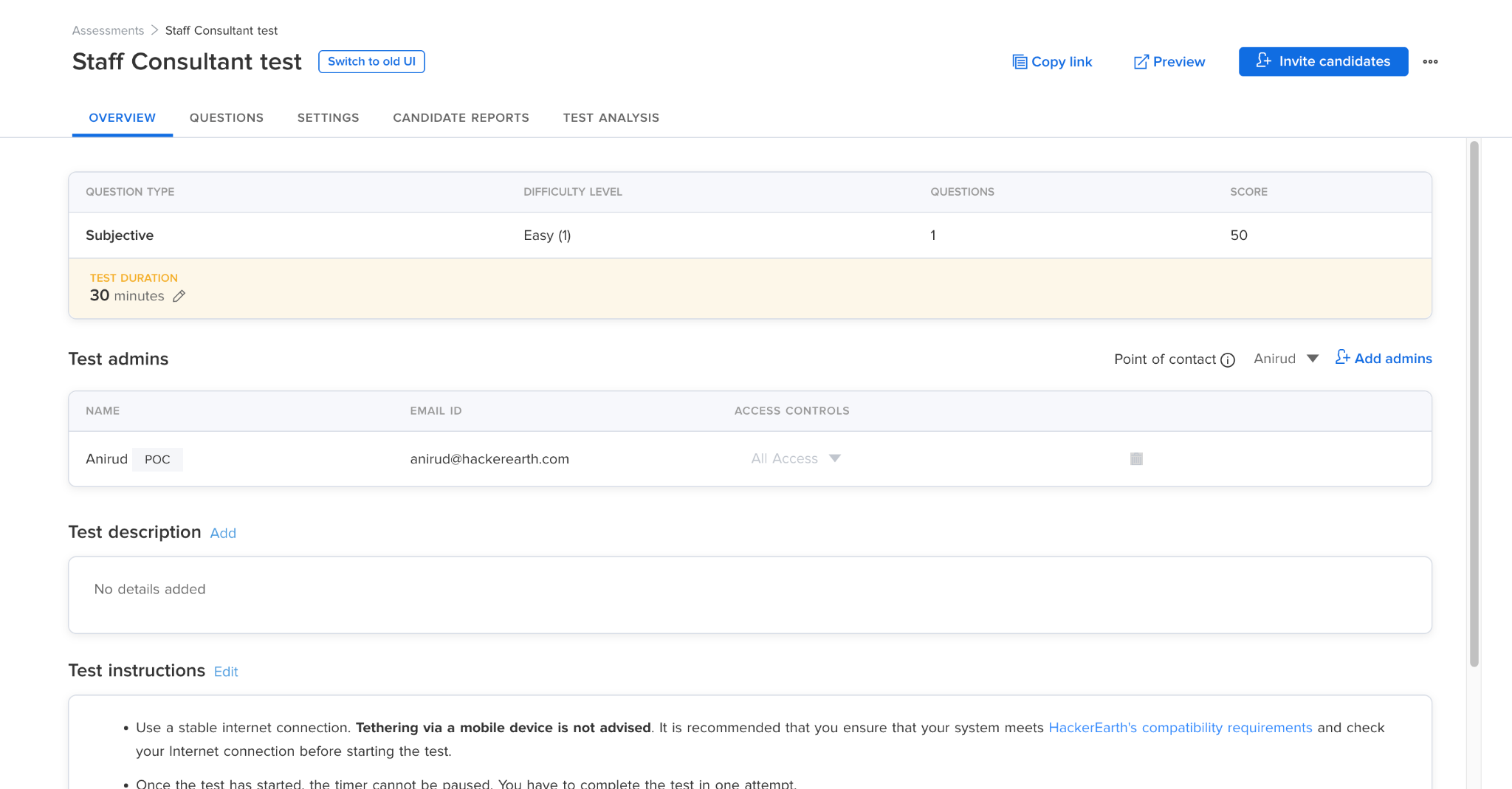
- Redesigned Test Management experience: A new tab-based layout for managing your tests, the first step in bringing this modern design language to Test Management.
How it works
- The new sidebar navigation and Admin Overview are now live for all users and companies.
- For Test Management, your existing interface remains the default for now. Want to try the new look? Click "Switch to New UI" to opt in anytime.
SmartBrowser 3.0.0 is Here — Our Biggest Update Yet
We're rolling out SmartBrowser 3.0.0, delivering a completely redesigned candidate experience, major reliability improvements, and enhanced interview workflows.
Candidates with auto-update enabled will receive this update automatically.
What's new for candidates
Completely redesigned experience
- Fully redesigned UI across onboarding, system checks, permissions, and the assessment window.
- A cleaner, more consistent experience throughout the candidate journey.
Easier setup
- Redesigned permissions flow with clearer guidance on Windows and macOS.
- On macOS, candidates can now jump directly to the required System Settings when permissions are needed.
- Simplified interview setup with a combined microphone and speaker check.
Improved interview experience
- Dual-window support for FaceCode interviews.
- A new in-session dock for monitoring notices, restricted app warnings, and exit controls.
Better navigation
- A new Back button on non-HackerEarth pages, so candidates can easily return to the assessment page during setup.
Improved reliability
This release resolves several high-impact issues, including:
- Ghost logout connection errors during assessment sessions.
- Screen blinking during test window transitions.
- False Windows session warnings.
- Unintended screenshot capture on Windows.
- Camera and microphone hardware changes not updating correctly.
- More stable window behavior across Windows and macOS.
Better external display handling
- Improved detection of mirrored displays.
- Faster dismissal of warnings when an external monitor is disconnected.
- Fewer false warnings on lower-spec Windows machines.
Accessibility improvements
- Scrollable long system-check screens.
- Continued screen reader support.
Supported platforms
- Windows 10 and above
- macOS 10.14 and above
- Linux is not currently supported (planned for a future release)
Fullstack Questions Now Supported in FaceCode
Candidates can now attempt Fullstack assessments directly within FaceCode, with the same secure, proctored experience you already rely on.
Smarter Proctoring & Integrity
We've made several improvements to help you evaluate candidates more accurately and efficiently.
What's new
- More accurate plagiarism detection: We've upgraded our code plagiarism detection to catch more sophisticated attempts at copying — like renamed variables or restructured code — while reducing false positives, especially on shorter, simpler questions.
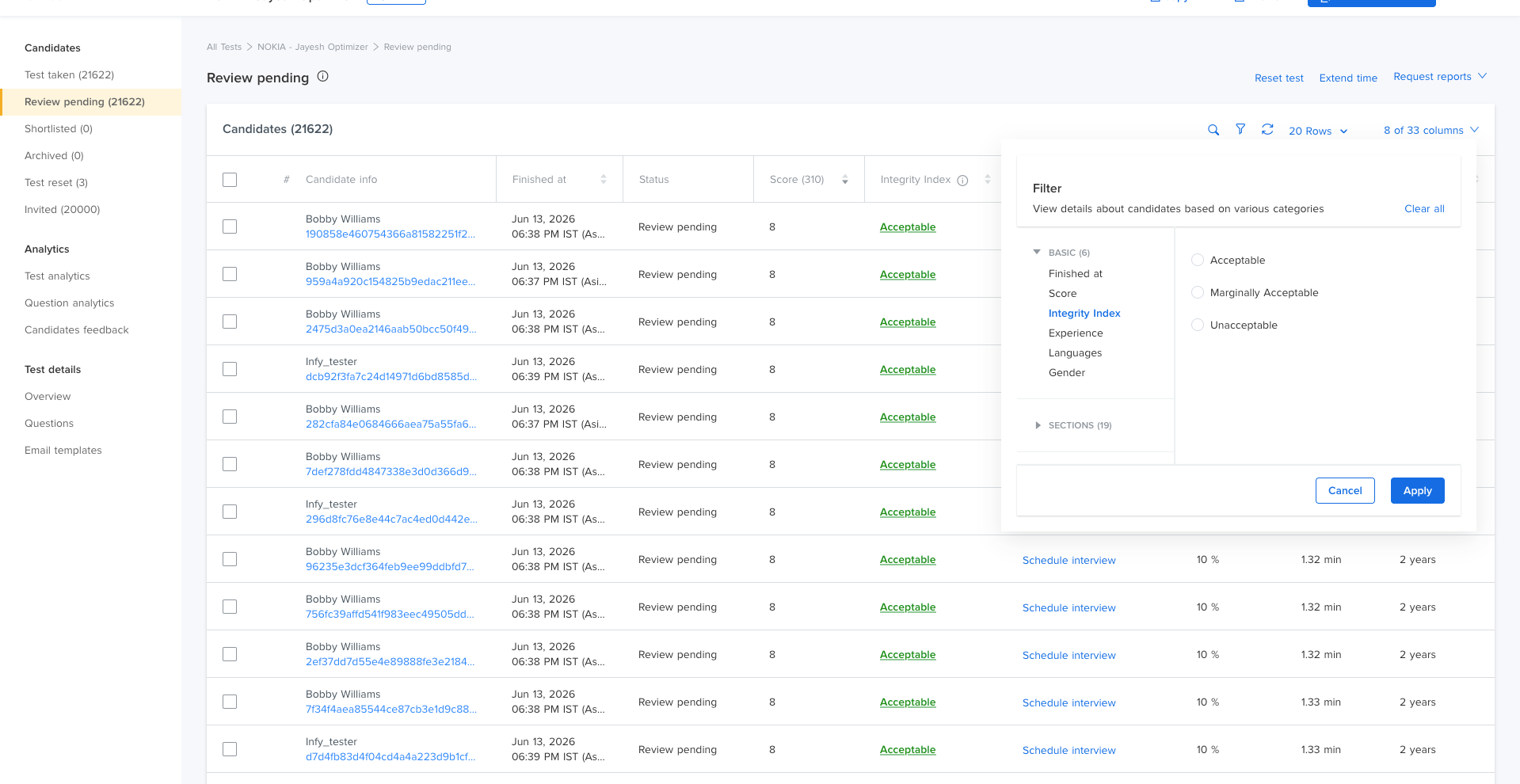
- Filter by Integrity Index: You can now filter candidates directly by their Integrity Index right within the Reports Table — no more digging through spreadsheets to shortlist candidates based on integrity outcomes.
Rollout
- The upgraded plagiarism detection is rolling out gradually, starting with a subset of accounts, so we can fine-tune the experience before making it broadly available. We'll share updates as it becomes available more widely.
WhatsApp Reminders for Assessment Invites
Candidates who haven't started their assessment can now get a nudge over WhatsApp, in addition to email — helping improve completion rates.
What's new
- Automatic WhatsApp reminders for candidates who haven't started their test yet.
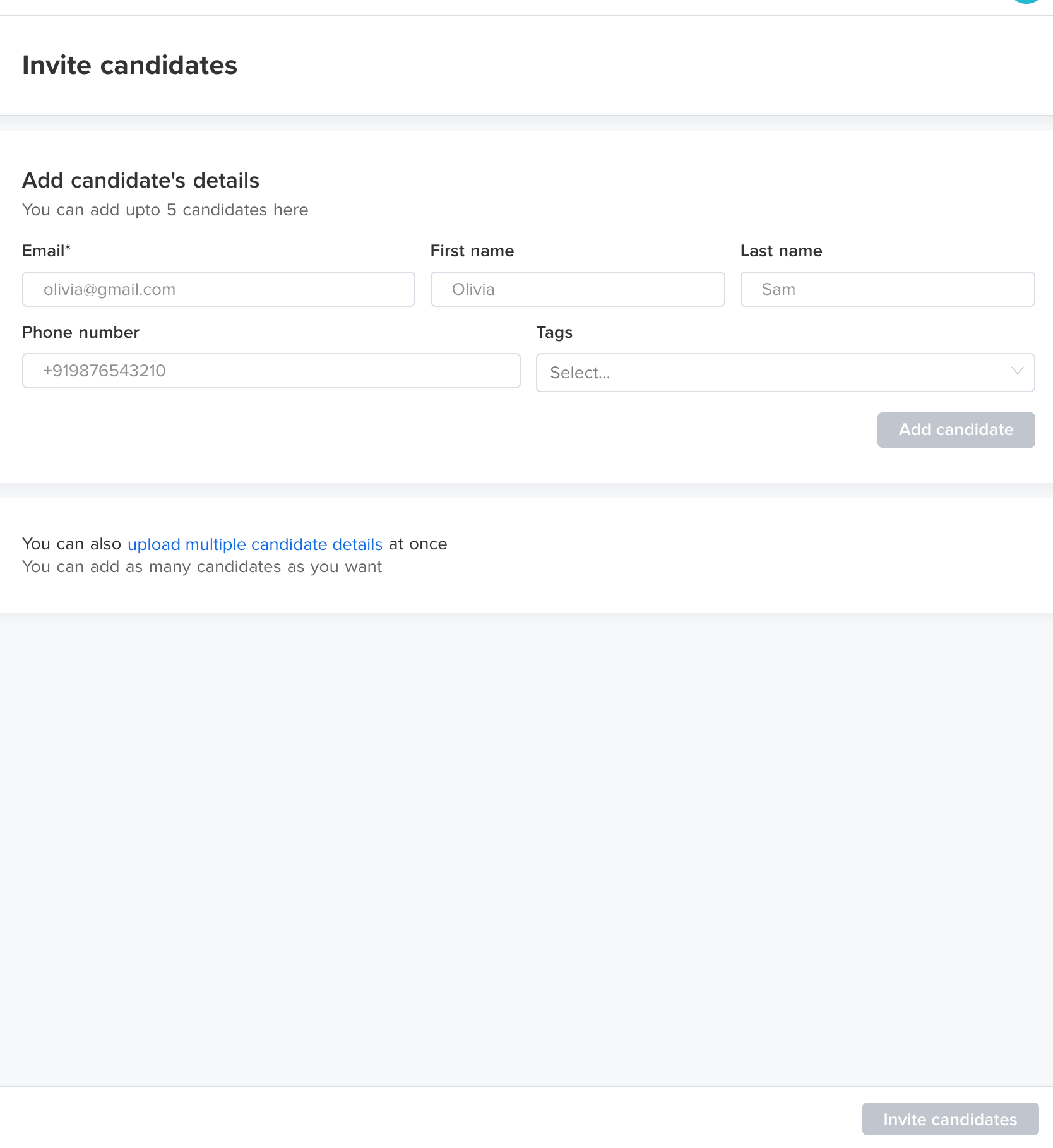
- You can now add a candidate's phone number when sending invites, whether one at a time or in bulk.
How it works
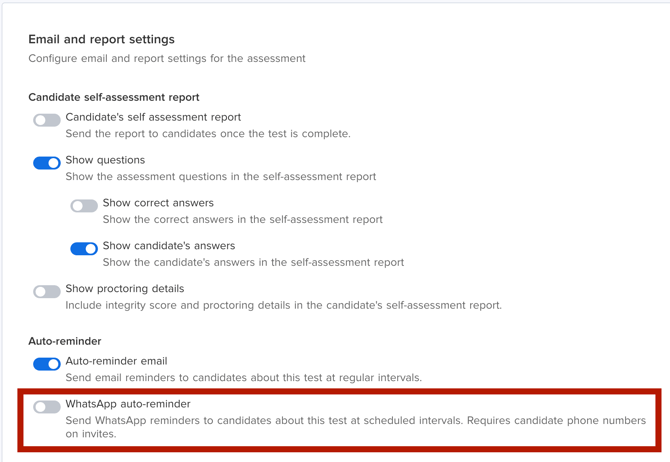
- Turn on "WhatsApp auto-reminder" for any test under Test Overview → Email & Reports. This works independently of your existing email reminders, so you can use both together.
- Reminders are sent once a day, and automatically stop once a candidate starts the test, their invite expires, or the test ends.
- Candidates get up to 5 reminders leading up to and during the test window.
- A valid phone number is required to receive WhatsApp reminders — this doesn't affect email invites in any way.
Availability
- This feature is available to customers on plans with WhatsApp reminders enabled. Reach out to your Account Manager or our support team to get it turned on for your account.
Greenhouse Integration is Now Live on ATS V2
We've launched a new Greenhouse integration, powered by Greenhouse's Harvest V3 APIs. Customers can now use HackerEarth Assessments and FaceCode directly from their Greenhouse workflow.
What's supported
- Connect Greenhouse with HackerEarth through the new integration.
- Add and start HackerEarth assessments directly from a candidate's Greenhouse profile.
- Assessment status and report links sync automatically back to Greenhouse.
- Create FaceCode interviews from Greenhouse calendar invites.
- FaceCode join links, completion details, and report URLs sync back to Greenhouse.
- Cancellations and reschedules made in Greenhouse stay in sync with HackerEarth.
- Support for multiple FaceCode interviews on the same candidate application.
Migration required by August 31, 2026
- The existing Greenhouse integration (built on Greenhouse V1 APIs) will stop working after August 31, 2026.
- If you're on the current integration, you'll need to migrate to the new integration before this date to avoid any disruption to your workflow.
Helpful resources